






Is there a minimum deposit amount I should be aware of before funding my OneDun account?

OneDun Casino’s banking guide covers the available deposit options, minimum funding requirements and withdrawal procedures. Players can deposit at least €20 using prepaid services, e-wallets or cryptocurrencies. It also explains how to initiate payments and monitor their progress until completion.
The minimum withdrawal amount is €40, with maximum limits of €5,000 per day, €10,000 per week and €30,000 per month. E-wallet payouts are processed within 0–72 hours, while bank transfers typically take 3–7 days.
| Payment Method | Supported Options | Transaction Details |
|---|---|---|
| E-Wallets | Skrill, Neteller, ecoPayz, eZeeWallet, MiFinity, Jeton | Deposits and withdrawals; withdrawal processing 0–72 hours |
| Bank Transfer | Bank wire transfer | Deposits and withdrawals; 3–7 days for withdrawals |
| Cryptocurrency | BTC, BCH, ETH, LTC, DOGE, USDT | Deposits and withdrawals; network confirmation required |
| Prepaid Methods | Paysafecard, Neosurf, Flexepin, CashtoCode | Deposit options; voucher redemption |
| Card Payments | Mastercard, AstroPay Card | Deposit options; card withdrawals not listed |
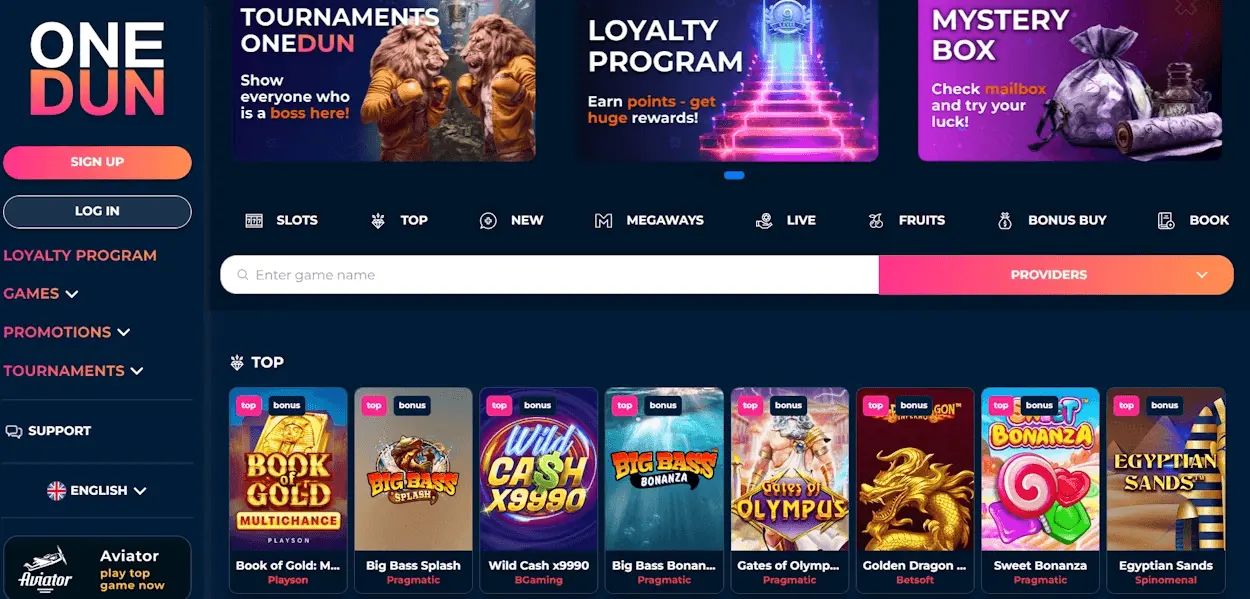
Sign in and open our cashier to start a deposit. Choose a payment method, enter the amount and follow the payment instructions; your balance changes when the deposit is credited, not merely when you submit it.
Before confirming, compare the amount with our €20 minimum and review the payment details. Keep the transaction reference or confirmation so you can identify the payment if you need help tracing it.

Our listed payment methods include prepaid products, electronic wallets and cryptocurrency. A deposit method and a withdrawal route do not necessarily perform the same function, so select the transaction you intend to make in the cashier.
The following methods serve different payment preferences. Choose the one that fits how you want to fund your balance, then follow its payment instructions in our cashier.
AstroPay Card, PaySafeCard, Neosurf and Flexepin are listed among our payment methods. For a prepaid payment, enter the requested details carefully and confirm that the value covers the amount you intend to deposit.
Bank transfers are a withdrawal route with a stated processing time of 3–7 days. When requesting one, review the destination account details before submitting; an incorrect destination can make a payment harder to trace.
Our listed e-wallet methods are ecoPayz, eZeeWallet, Neteller and Skrill. An e-wallet withdrawal takes 0–72 hours; retain the request details until you can match the payment to your wallet activity.
We also list Bitcoin, Ethereum, Litecoin, Ripple/XRP and Tether/USDT as cryptocurrency payment methods. For a crypto transaction, match the asset and destination details to the instructions for that payment before you send funds.

Use the cashier for both sides of a transaction: first submit and confirm a deposit, then use the withdrawal function when you want to request a cashout. The sequence below keeps those actions separate so you can follow each payment to its own confirmation.
Follow these eight steps in order: the first four take you through a deposit, and the remaining four explain how to request and follow a withdrawal.
Our minimum deposit is €20 and our minimum withdrawal is €40. Withdrawal limits are €5,000 per day, €10,000 per week and €30,000 per month; a request must fit within the applicable limits.
We support EUR, USD, AUD, CAD, SEK and NZD balances, plus selected cryptocurrency balances in Bitcoin, Ethereum and Litecoin. A listed cryptocurrency payment method is not automatically the same thing as a supported cryptocurrency balance.
When you enter an amount, distinguish the currency of your account balance from the currency used by your payment provider. If a conversion is presented during payment, review the resulting amount before you confirm it.
Our stated withdrawal times are 0–72 hours for e-wallets and 3–7 days for bank transfers. These figures concern withdrawals; they do not establish a deposit crediting time or a processing time for cryptocurrency.
We have not specified deposit or withdrawal fees in the information provided here. Before authorising a payment, review any charge or conversion amount presented in the transaction and by your payment provider, then decide whether to proceed.
A submitted deposit and a credited deposit are different stages. If your provider shows a completed payment but your balance has not changed, retain the confirmation and transaction reference so the payment can be traced.
We may need to verify a payment method before a withdrawal can be completed. If we request information, provide the requested details through the account process and make sure they correspond to the payment you are asking us to review.
Keep passwords, wallet credentials and payment codes private. When sharing a transaction reference to identify a payment, distinguish it from a secret credential that could give someone access to your funds.
For cryptocurrency, review the asset and destination address before sending. Blockchain transactions can be difficult or impossible to reverse, so an incorrect address can have consequences beyond a delayed credit.
A pending status means the transaction has not reached its final outcome. A rejection means the request did not complete; record the status and any message shown before deciding whether to submit another payment.
Compare the amount, destination and payment details with your confirmation. If the provider has already taken the funds, avoid sending a duplicate while the first transaction is being traced; contact us through live chat with the relevant reference.
For a withdrawal, allow for the stated processing period for the selected route and respond to any verification request. If the payment remains unresolved, give us the request amount, method and reference so we can identify it.
A withdrawal can remain unresolved for different reasons. These actions help you prepare the request, follow its progress and give us useful details if you need assistance.
Is there a minimum deposit amount I should be aware of before funding my OneDun account?

I found the deposit process straightforward, but I wish there were more cryptocurrency options available.

Can I use multiple payment methods for a single deposit, or is it limited to one per transaction?

I noticed some payment methods take longer to process deposits. It would be helpful if OneDun clarified expected times.
The variety of deposit options at OneDun Casino covers most preferences, which makes funding my account convenient.
Are there any fees associated with deposits via credit card or e-wallets at OneDun?
I appreciate the instant deposit confirmation, but I wish the interface better explained the payment steps.
It would be great if OneDun Casino offered more local payment methods to accommodate international players.
Is there a minimum deposit amount I should be aware of before funding my OneDun account?
I found the deposit process straightforward, but I wish there were more cryptocurrency options available.
Can I use multiple payment methods for a single deposit, or is it limited to one per transaction?
I noticed some payment methods take longer to process deposits. It would be helpful if OneDun clarified expected times.
The variety of deposit options at OneDun Casino covers most preferences, which makes funding my account convenient.
Are there any fees associated with deposits via credit card or e-wallets at OneDun?
I appreciate the instant deposit confirmation, but I wish the interface better explained the payment steps.
It would be great if OneDun Casino offered more local payment methods to accommodate international players.
Our minimum deposit is €20. We have not specified deposit or withdrawal fees in the information provided here, so review any charge or conversion amount presented before you authorise a transaction. Your payment provider may also present its own charges as part of the payment.
E-wallet withdrawals take 0–72 hours, while bank transfers take 3–7 days. A pending request has not reached its final outcome. Keep the reference, respond to any verification request and contact us through live chat if the payment remains unresolved after the stated period.
Our listed cryptocurrency payment methods include Bitcoin, Ethereum, Litecoin, Ripple/XRP and Tether/USDT. To request a withdrawal, select a route in the cashier and review its destination details. If you want to change the method or we request verification, contact us through live chat for help with your request.